For everyone who runs WordPress sites
YOLO Cloud, because your time matters.
Rarely open wp-admin again: run all your WordPress sites from one place.
Updates with before-and-after proof, off-site backups, security and error watch, and AI fixes that wait for your yes.
Built by the Code Snippets team, trusted on over a million sites.
The free YOLO plugin
Lets the AI you choose run one site, safely. A key-protected API and MCP server for ChatGPT, Claude or any agent, with undo for its changes, auto-rollback, backups on the site’s own server and emergency recovery.
YOLO Cloud adds
Everything across many sites. Off-site backups, kits and sharing, the Library, monitoring and auto-fix, client reports, teams and the AI Bridge. Kits, sharing and importing need a site connected to Cloud.
What it does
The maintenance, done from one place. The proof, kept.
Updates
Updates you can see.
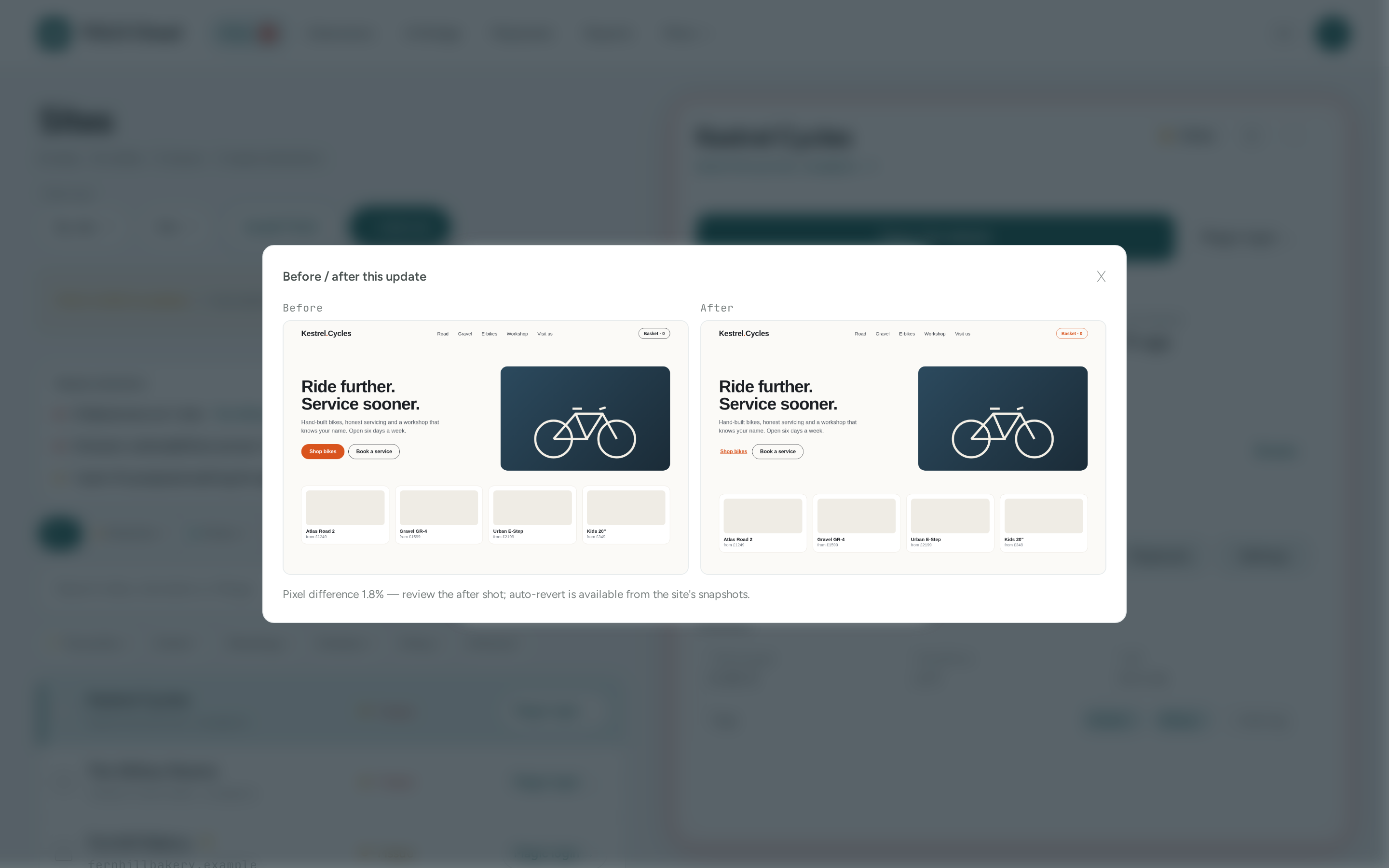
Update WordPress, plugins, themes and translations on one site or fifty. Each update job screenshots the home page before and after, and tells you how much changed.
- Before/after screenshots on update jobs
- Health-checked; plugin and theme updates roll back if they take the site down
- Bulk updates, each site reported separately
Backups
Backups that live off the server.
Back up to our storage in Germany, on a schedule you set. Full backups are encrypted on your site before they leave it. Restore in a click, or copy a backup onto another site.
- Daily or weekly, at a time you pick
- Full (encrypted) or incremental
- Restore, or migrate onto another site
Watch & fix
Watched, and fixed fast.
Uptime checks, a vulnerability scan, PageSpeed tracking and a PHP error watch on every site. The error watch explains a crash and suggests the fix; switch on auto-fix and AI-written fixes wait for someone to approve them.
- Uptime, security scan and Core Web Vitals
- Fatal errors recorded and explained by AI
- Auto-fix: you approve, it applies and checks
AI Bridge
Ask, and it gets done.
Chat to manage a site: the AI Bridge reads the site, makes the change through YOLO, then checks its work. Or ask a question across every site you run, like which ones still run an old PHP version.
- Chat to manage any connected site
- Ask your fleet: questions across all sites
- Content and design changes undoable
Agencies
Built for people who run other people’s sites.
Group sites under clients, send white-label report links with your logo and theirs, invite your team with the right role, and put routine maintenance on a schedule.
- Clients and white-label reports
- Owner, admin, member and viewer roles
- Playbooks: scheduled multi-step routines
Library
Build once, use on every site.
Copy an AI-built extension or a kit from one site to many. Publish to the community Library, where every extension is safety-scanned by AI, and improve each other’s work as credited Re-Mixes.
- Kits and sharing between your sites
- AI safety scan before anyone installs
- Settings pushed to every site from one form
See it
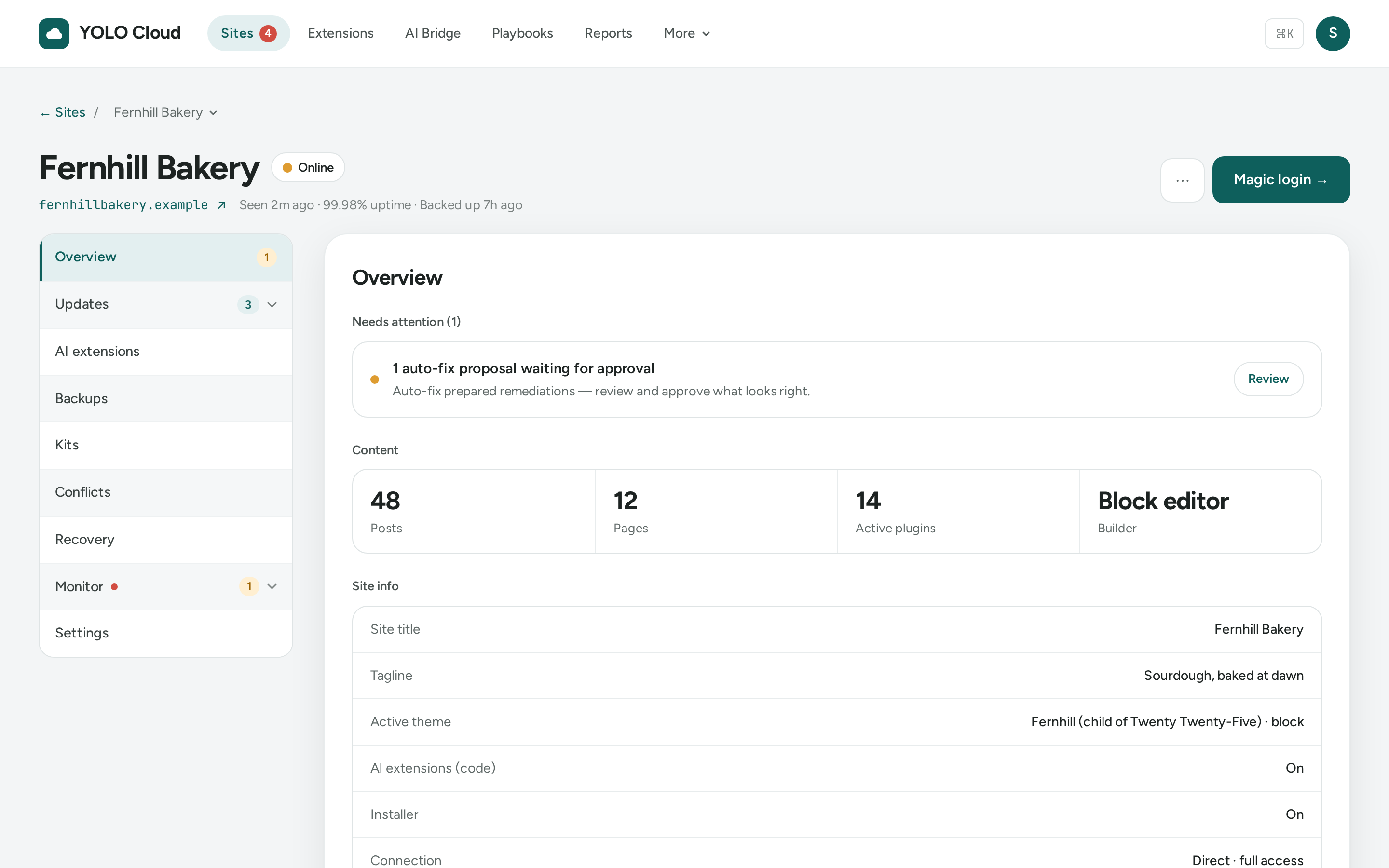
Every site’s wp-admin, mirrored in one console.
Plugins, themes, updates, backups, health, security, errors and settings for each site, plus proof of what every update changed.
How it connects
From sign-up to your first site in a few minutes.
- 1
Install YOLO
On the Sites page, click Install YOLO and download the plugin. Upload it in WordPress under Plugins → Add New Plugin, and activate it.
- 2
Connect in one click
In WordPress, open YOLO → Cloud and click Connect to YOLO Cloud. Approve it here and the site appears in your list. No keys to copy.
- 3
Run it from here
Updates, backups, monitoring, reports and the AI Bridge, for every site. Behind a strict firewall? Connect through the Agent instead.
New · YOLO CMS
Not on WordPress? Get a website by talking to your AI.
YOLO CMS is the CMS built for your AI. Connect the AI app you already use, such as ChatGPT, tell it about your business, and it builds the site with you in your YOLO Cloud account. Nothing goes public until you say yes.
Safety, built in
Real changes to live sites, with a way back.
Content, design and settings changes are snapshotted and can be undone. Plugin and theme updates that take the site down roll back on their own. A downed site can be brought back from here. And every action lands in a tamper-evident audit log.
Powered by the YOLO plugin
YOLO, but with undo. Now for every site you run.
Start free, connect your first site in a click, and see how rarely you need wp-admin.